LibreCorsa controls
Last checked: · launcher v0.3.0 · Android v0.2.2
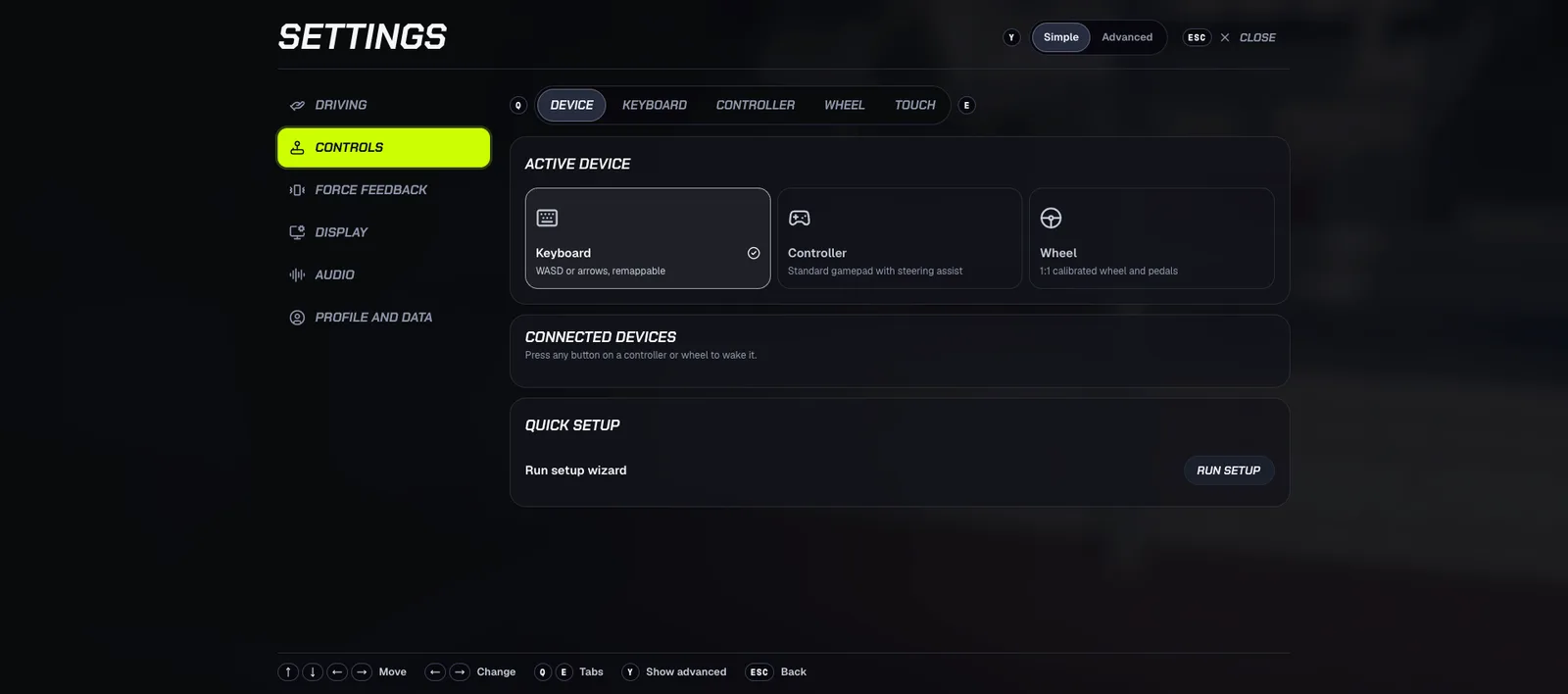
W/S or the arrow keys drive, E/Q shift, X is active aero, Z is Overtake Mode, V turns on mouse steering, C cycles cameras and R shows the racing line. Wheels work through the browser’s gamepad support; force feedback needs Chrome or Edge (WebHID) or the Windows bridge.
Default keyboard controls
| Action | Key |
|---|---|
| Throttle / brake | W or ↑ / S or ↓ (analogue ramp) |
| Half throttle / half brake | F / G |
| Steer | A / D or ← / → (speed-sensitive) |
| Shift up / down / neutral | E / Q / N |
| Boost (hold / latch) | Space or Shift / B |
| Overtake Mode (2026 races) | Z |
| Active aero X/Z or DRS | X |
| Pit speed limiter | \ |
| Headlights / flash | U / Y |
| Camera / free camera / TV camera | C / F7 / F8 |
| Instant replay | T |
| MFD on-off / next page | O / I or Insert |
| HUD / timing tower | H / J |
| Racing line / autopilot / mouse steering | R / P / V |
| Restart / restart flying lap | Backspace / L |
| Mute / next track | M / K |
| Pause | Esc |
Controller layouts
The default “GT style” layout: left stick steers, RT/R2 throttle, LT/L2 brake, A/✕ shift up, X/□ shift down, R3 Boost, L3 headlights, Y/△ active aero, D-pad for the MFD. Four other layouts are offered: GT classic, Formula, Forza and Bumper shift.
In Chrome or Edge a DualSense also gets adaptive triggers and optional gyro steering through WebHID.
Wheels and force feedback
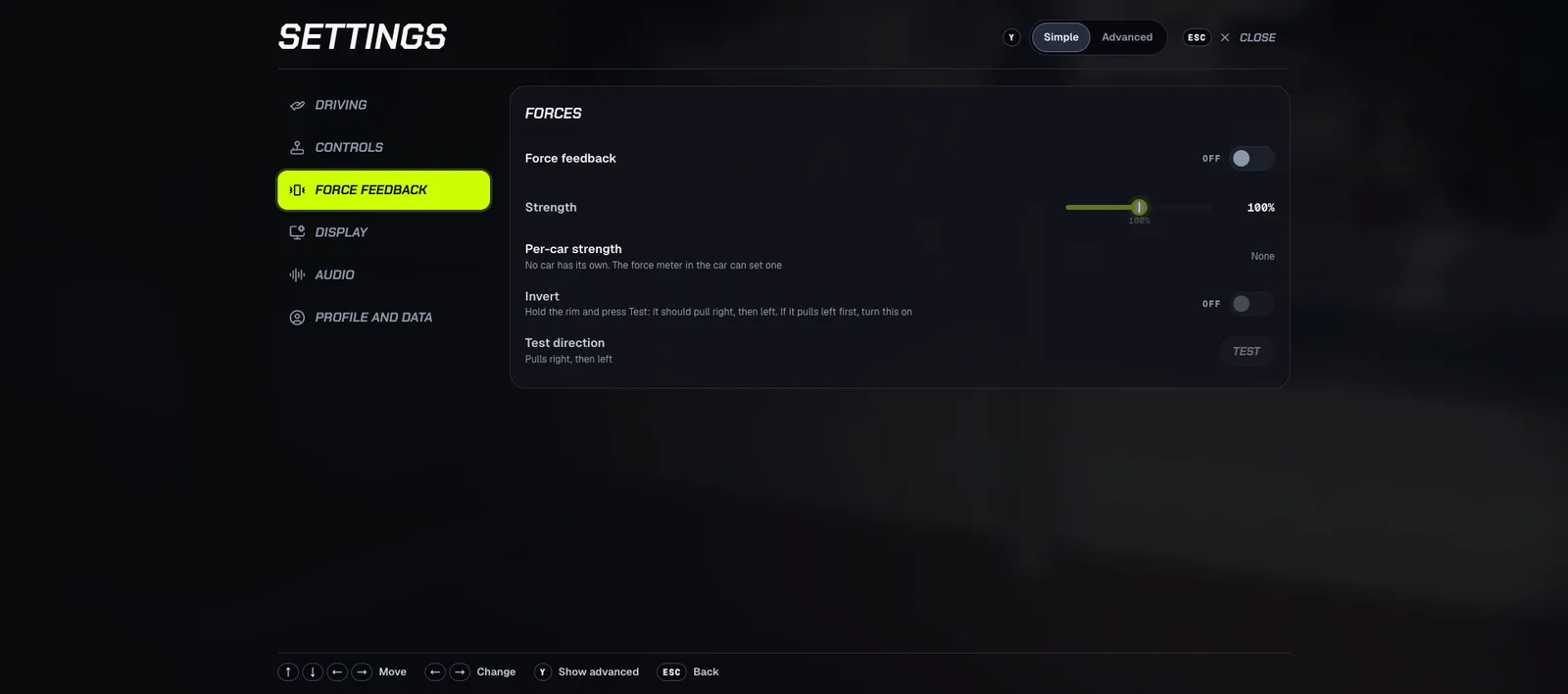
Steering, pedals and buttons work on any wheel the operating system sees as a game controller, through the browser’s Gamepad API. Force feedback is a separate path:
- WebHID in Chrome or Edge (HTTPS only): drives HID PID wheels, classic and HID++ Logitech wheels and some Thrustmaster bases directly from the browser, with nothing to install.
- Windows bridge: a small local program using DirectInput on
127.0.0.1:18500. You clone the repository, install Node and start it withFFB_ALLOW_ORIGIN=https://librecorsa.org. - Rotation: 360°, 540°, 900°, 1080° or custom from 180° to 2520°. Each car also has its own steering lock: F1 360°, LMDh 390°, GT3 640°, Suzuki Liana 1080°.
| Wheel | Status | Where it comes from |
|---|---|---|
| MOZA R9 V2 + KS | Tested: force feedback works | Developer hardware table · 1 source |
| Thrustmaster T128 | Open problem report (#234) | GitHub issue · 1 source |
| MOZA R3 | Problem reports (#233, #206) | GitHub issues · 2 reports |
| Thrustmaster TMX | Report closed (#189) | GitHub issue · 1 source |
| Thrustmaster T500 RS | Outside the hid-tmff2 driver’s coverage | Developer hardware table · 1 source |
| Other Logitech, Fanatec, Thrustmaster | Listed as expected or unknown | Developer hardware table · 1 source |
HUD layouts
There are 15 HUD layouts; Blade is the default, which is what the onboard press screenshot shows. H hides the HUD entirely and J toggles the timing tower, which is useful for clean screenshots.
Watch it
FAQ
Why does my wheel steer but have no force feedback?
Steering uses the Gamepad API, which every browser has; force feedback needs WebHID, which only Chrome and Edge provide, or the Windows bridge. Firefox and Safari give steering without feedback.
Can I rebind keys?
Yes, under Settings → Controls. The X key for active aero can be moved there too.
Does LibreCorsa support touch controls?
Yes. Touch is one of the four devices in the setup wizard, and phones default to the Medium preset with automatic quality on.
Is my Logitech G29 supported?
Steering works as on any wheel the system sees as a controller. For force feedback the developer lists classic Logitech wheels under the WebHID path but marks them as expected rather than tested, so treat it as likely, not certain.
Sources
Checked 28 November 2026. Project website, docs and GitHub are one developer source; multiple project references do not count as independent confirmation.
- LibreCorsa docs: Controls: key map, controller layouts, wheels, WebHID force feedback and the Windows bridge; read 28 Nov 2026
- GitHub repository librecorsa/librecorsa: README car and circuit tables, hardware table, licence, physics verification; read 28 Nov 2026
- GitHub issues #234, #233, #206, #189: Thrustmaster T128, MOZA R3 and TMX reports
- GitHub issue #233: wheel report; checked 28 Nov 2026
- GitHub issue #206: wheel report; checked 28 Nov 2026
- GitHub issue #189: wheel report; checked 28 Nov 2026
- cuzy on YouTube, 24 Nov 2026: wheel and force feedback first drive, 15:57