X-mode and Z-mode in LibreCorsa
Last checked: · launcher v0.3.0 · Android v0.2.2
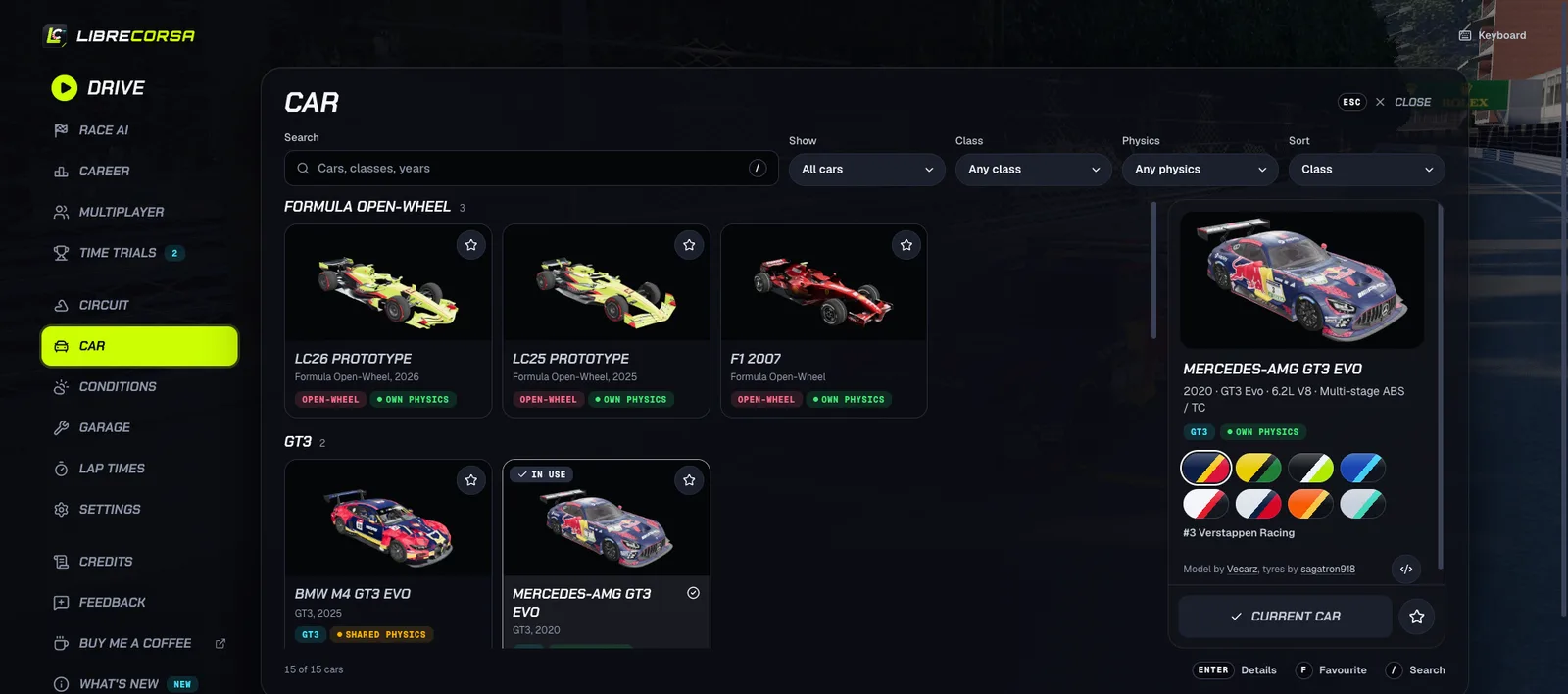
Press X on the keyboard (or Y / △ on a controller) to switch active aero from Z-mode (high downforce, for corners) to X-mode (low drag, for straights). It only works on 2026-rules cars, which in the stock game means the LC26 Prototype. It opens only in marked zones on long straights.
X-mode vs Z-mode
| Z-mode | X-mode (Straight Mode) | |
|---|---|---|
| What the wings do | Front and rear flaps closed, high downforce | Flaps open, low drag |
| Where you use it | Braking zones and corners | Marked straights only |
| Normal setting | The car’s usual configuration | Only when you press X inside a zone |
| Key | X toggles back | X (keyboard) · Y / △ (controller) |
When the flaps can open
- Only on designated straights at least 250 m long with a radius of 800 m or more.
- You can pre-arm up to 250 m before the zone; the request holds for up to 12 seconds. The HUD warns you 150 m before a zone starts.
- Wet track: once the water film on the racing line passes 0.2 mm the game declares Low Grip Conditions. Above 0.25 wetness the rear flap is locked and only the front opens, and activation points move 50 m later.
- Local yellow flags lock both the flaps and Overtake Mode inside the yellow sector.
Why your car does not have it
| Car | Aero aid | Key |
|---|---|---|
| LC26 Prototype (2026 rules) | Z-mode / X-mode active aero, plus Overtake Mode | X, and Z for Overtake |
| Ported 2026 F1 cars (mods) | Z-mode / X-mode | X |
| LC25 Prototype (2025 rules) | Rear-wing DRS | X |
| F1 2007 | Fixed wings, no DRS, no ERS | — |
| GT3, prototypes, classics, road cars | None | — |
The Z key is not Z-mode
On the keyboard, Z is Overtake Mode: the 350 kW electric deployment of the 2026 race rules. It has nothing to do with the wing position, despite the name. Overtake Mode can deploy automatically (that option is on by default); active aero cannot.
Claims that are out of date
Common outdated claims
- X-mode is just DRS with a new name.
- DRS is a single rear flap on the 2025 LC25. X-mode moves front and rear elements on 2026 cars and has its own zone and weather rules.
- Every car can use X-mode.
- Only 2026-rules cars. The GT3s, prototypes and classics have no movable aero.
- It switches automatically.
- A request for automatic X/Z switching (#231) was closed as not planned on 27 Nov 2026. See the change log.
- The HUD shows X MODE and DRS together.
- That was bug #118, fixed on 15 Nov 2026 with the Straight Mode fixes. See the change log.
FAQ
In LibreCorsa, how do I turn on X-mode from the keyboard?
Press X while driving a 2026-rules car (the LC26 Prototype) inside a marked straight-line zone. Press it again to return to Z-mode. You can rebind it in Settings → Controls.
Why does nothing happen when I press X?
Either your car has no active aero (only the LC26 and 2026 mods do), you are outside a zone, a local yellow flag is out, or the track is too wet for the rear flap.
What is the difference between X-mode and Overtake Mode?
X-mode is the wing position for less drag on straights. Overtake Mode (Z) is a 350 kW electric deployment used in 2026-rules races.
Sources
Checked 28 November 2026. Project website, docs and GitHub are one developer source; multiple project references do not count as independent confirmation.
- LibreCorsa docs: Driving: realism levels, assists, 2026 rules, X-mode and Z-mode, career rules; read 28 Nov 2026
- LibreCorsa docs: Controls: key map, controller layouts, wheels, WebHID force feedback and the Windows bridge; read 28 Nov 2026
- GitHub issue #231: automatic X/Z switching closed as not planned on 27 Nov 2026
- GitHub repository librecorsa/librecorsa: README car and circuit tables, hardware table, licence, physics verification; read 28 Nov 2026