Telemetry and triple screens in LibreCorsa
Last checked: · launcher v0.3.0 · Android v0.2.2
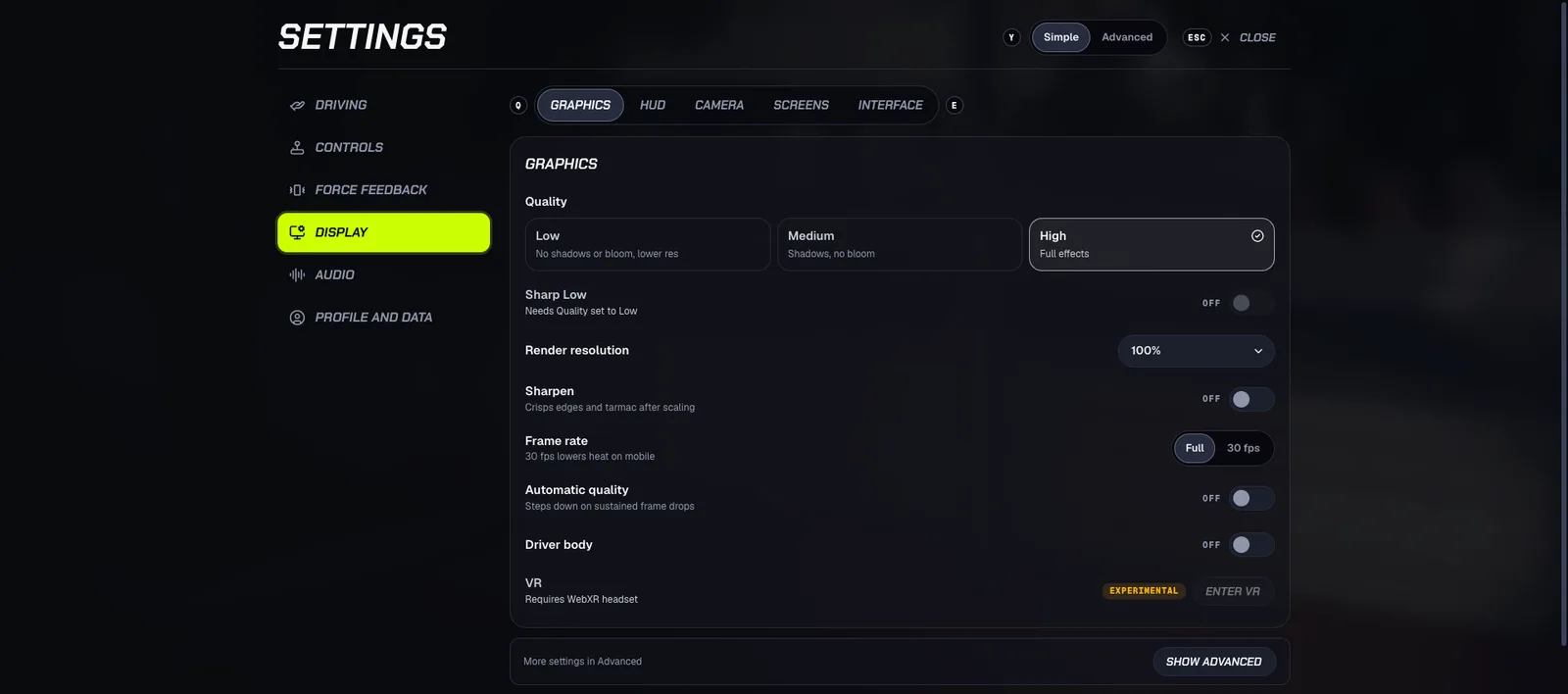
Telemetry leaves the game 60 times a second over UDP through a small local bridge. The default port is 20790, not 20777. Triple screens need the three monitors joined into one wide desktop (NVIDIA Surround or AMD Eyefinity), then Settings → Display → Screens → Three.
Set up telemetry
- Get the game’s bridge from the GitHub repository and run
npm installin its folder (Node.js needed). It works on Windows, macOS and Linux, with or without a wheel. - Start it for telemetry only with
npm run ffb -- --telemetry-only, allowing the site as origin: setFFB_ALLOW_ORIGIN=https://librecorsa.org. - In the game open Settings → Profile and data → Data → Telemetry, switch UDP output on and confirm the port, 20790 by default.
- Configure a receiver or SimHub plugin that understands LibreCorsa’s UTF-8 JSON telemetry on UDP port 20790. Choosing the same port alone does not make another game’s protocol compatible.
Why 20790 and not 20777
Port 20777 belongs to the F1 games’ binary format. Tools that listen there expect that format and misread LibreCorsa’s packets, which are compact text records, one per frame. The game warns you if you type 20777. Keep the default unless something else on your machine already uses it.
Set up triple screens
- Join the three monitors into one wide desktop with your graphics driver (Surround or Eyefinity). Without that, stretch the window across them by hand; on macOS first turn off “Displays have separate Spaces”.
- Open Settings → Display → Screens and set Screens to Three.
- Enter the size of one screen, your eye-to-screen distance, bezel width, side screen angle and eye height. A top-down diagram updates as you type.
- Leave True FOV on. For a 27-inch screen at 70 cm it works out at about 27°. Changing the field of view by hand turns True FOV off.
What triples cost in frame rate
- Render the side screens at 75% or 50% resolution to win back frames.
- All three screens must match in size and resolution, and both side screens must sit at the same angle.
- Raindrops only appear on the centre screen. Entering VR switches triple screens off.
| Setup | Draw calls per frame | Note |
|---|---|---|
| Single wide screen | about 870 | Developer measurement at Bugesera |
| Three screens | about 1,900 | Each screen draws its own shadows and sky |
FAQ
Does LibreCorsa work with SimHub?
It sends telemetry over UDP through the local bridge, default port 20790, with UTF-8 JSON at 60 Hz. Use a SimHub plugin or receiver that understands this format.
What telemetry port does LibreCorsa use?
20790 by default. 20777 is the F1 games’ port and the game warns against it.
Does LibreCorsa support triple monitors?
Yes, under Settings → Display → Screens, with True FOV. The developer notes it has not yet been tested on a real triple rig.
Sources
Checked 28 November 2026. Project website, docs and GitHub are one developer source; multiple project references do not count as independent confirmation.
- LibreCorsa docs: Telemetry: UDP output, port 20790, bridge command; read 28 Nov 2026
- LibreCorsa docs: Triple screens: screen geometry, True FOV, draw-call cost; read 28 Nov 2026
- GitHub repository librecorsa/librecorsa: README car and circuit tables, hardware table, licence, physics verification; read 28 Nov 2026
- LibreCorsa docs: Controls: key map, controller layouts, wheels, WebHID force feedback and the Windows bridge; read 28 Nov 2026